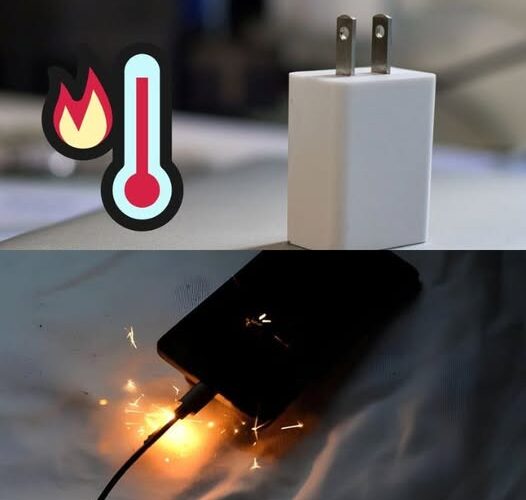
Overheating of mobile phones is a frequent problem that many users face on a daily basis. This phenomenon is not limited to phones alone; It also occurs on devices such as tablets and laptops.
While it is normal for devices to get slightly hot during operation, there are a number of factors that can lead to excessive overheating.
In this article, we’ll explore the root causes of this problem and provide you with practical tips to prevent it.
Why does my phone get hot when charging?
It is common for a mobile phone to heat up during charging due to the operation of the charger, which converts alternating current into direct current. However, if you notice excessive heat, there may be issues that require attention:
- Faulty connections: A damaged charging port, a bad cable, or a faulty battery can lead to overheating. To rule out these causes, try charging your device with a different charger, a new cable, or even use a wireless charger. Changing the power outlet can also be helpful.
- Presence of malware: Malicious applications or spyware can increase the use of the device’s processor, generating additional heat and fast battery consumption. Review installed apps and remove any that are unknown or suspicious. Keep your device up to date with a good antivirus for added protection.
- Using incompatible chargers: Non-genuine chargers may not be designed for your device’s specifications, increasing the risk of long-term damage. Be sure to use manufacturer-approved chargers and place them in ventilated places while in use. Avoid exposing the charger or device to direct sunlight.
Can overheating cause fires?
Although rare, it is not impossible that lithium-ion batteries, such as those used in mobile phones and laptops, can generate sparks or even fires in extreme circumstances. To reduce this risk:
- Do not leave the device charging unattended, especially at night.
- If you notice a strange smell, discoloration, unusual heat, or damaged wires, stop using the charger immediately and replace it as soon as possible.
- Avoid charging your device if your charger or phone is already showing signs of frequent overheating.
Practical tips to avoid overheating:
- Keep software up to date: Updates often include energy efficiency and temperature management improvements.
- Avoid intensive use during charging: Activities such as games or video calls while charging the mobile can increase the temperature.
- Disable unnecessary functions: Turning off Bluetooth, GPS or Wi-Fi if you don’t use them can help reduce heat generation.
- Check the accessories used: Always use original or certified chargers, cables, and batteries for your device.
Preventing your phone from overheating is key to prolonging its lifespan and ensuring its safety. Follow these tips to enjoy an efficient and functional device for longer!